Advanced Data Grid
Work with result sets using grouping, filtering, sorting, calculated fields, conditional formatting, bookmarks, preview, notes, selection tools, and richer export and copy options.
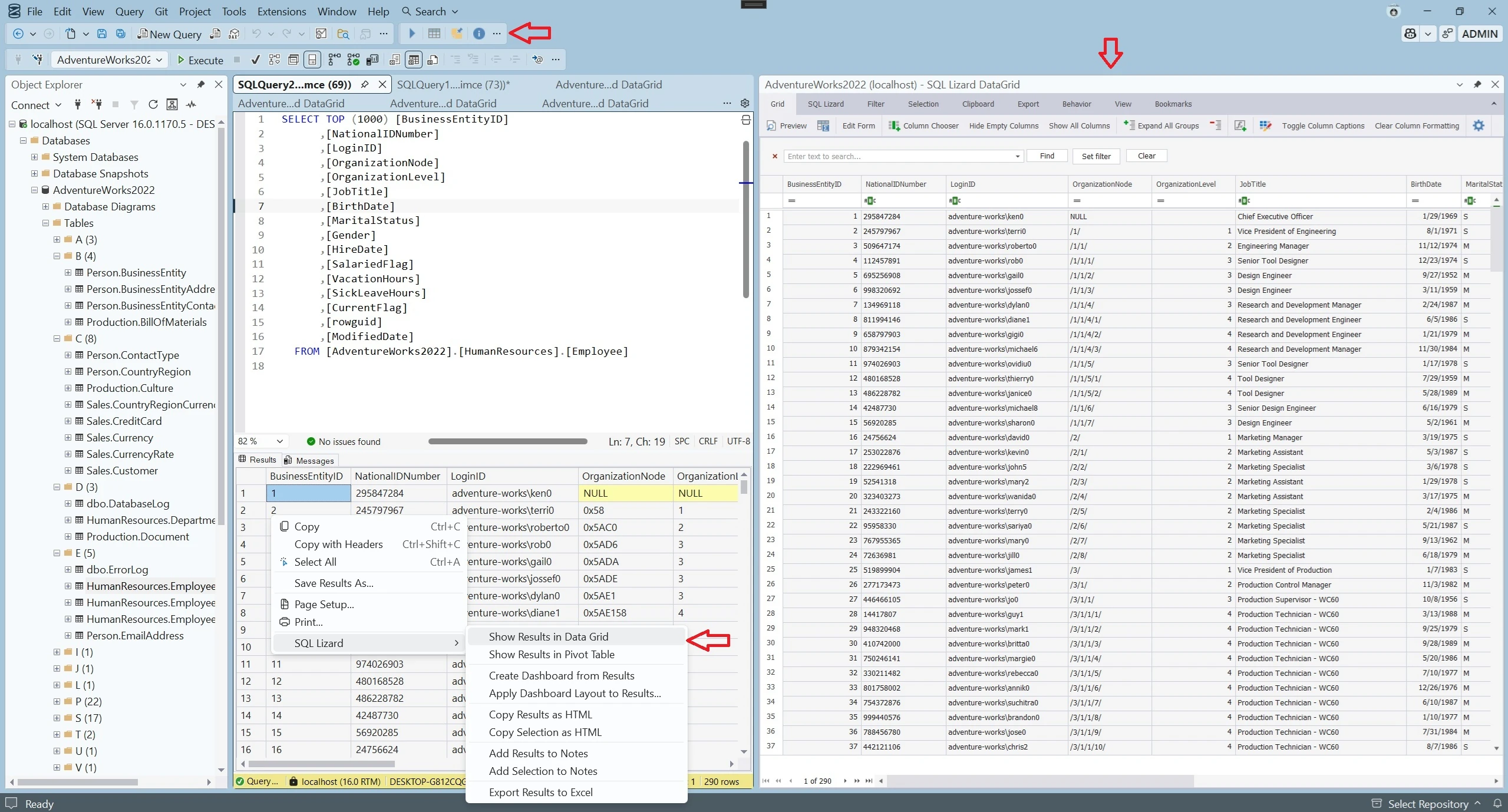
SQL Server Management Studio extension
SQL Lizard extends SQL Server Management Studio 22 with a powerful data grid, dashboards, charts, pivots, Object Explorer improvements, SQL formatting, linting, export features, notes, query history, and more.
SQL Lizard is an SSMS extension. The terms SSMS plugin, SSMS add-in, and SSMS add-on are also commonly used for this type of tool. It keeps data analysis and everyday SQL work inside SSMS instead of requiring a separate application.
Latest version: SQL Lizard for SSMS 22. Previously known as SSMS Lizard.
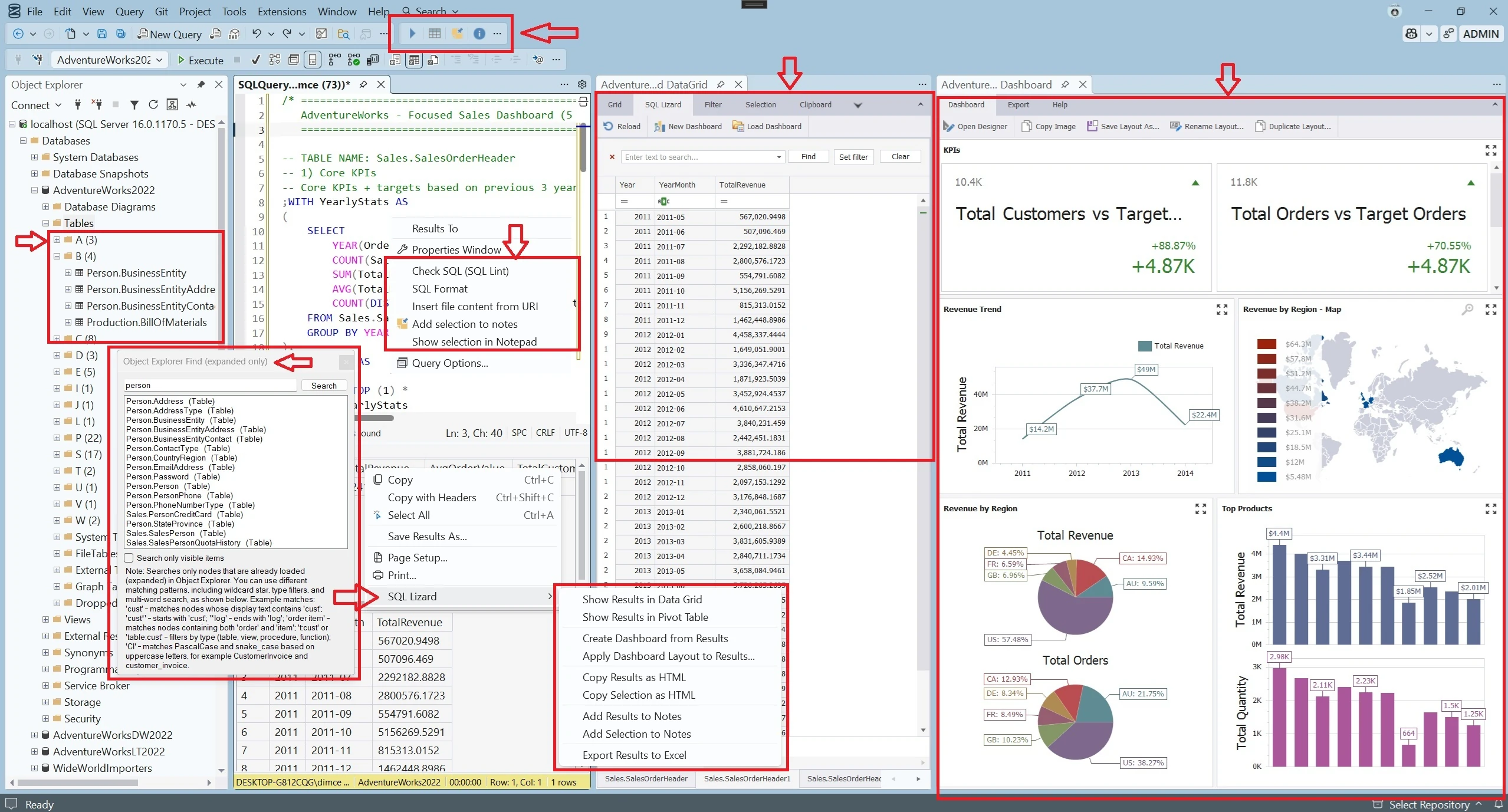
SQL Lizard integrates directly into SSMS 22 to improve result handling, visualization, Object Explorer, exports, and SQL quality. See the complete SSMS extension overview for supported tools and typical use cases.
Time saved
If SQL Lizard saves only 15 minutes per person per day, the annual impact adds up quickly. That is the kind of improvement teams notice over time, especially when SQL work happens every day.
Main features
The data grid, data visualization, and data and object explorer features are the center of the product.
Work with result sets using grouping, filtering, sorting, calculated fields, conditional formatting, bookmarks, preview, notes, selection tools, and richer export and copy options.
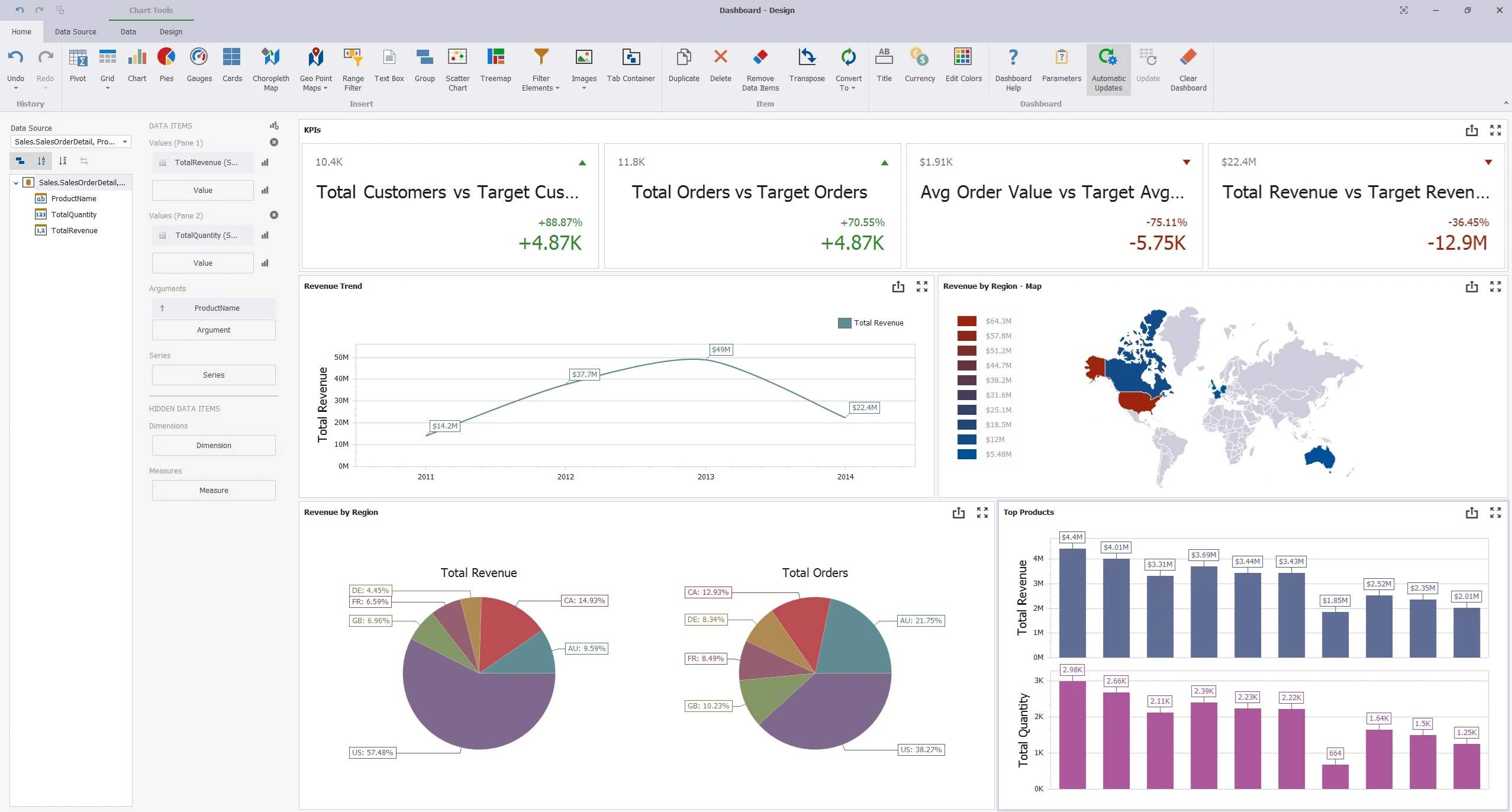
Open results in a pivot table, create charts, and build dashboards directly from query output, which makes ad-hoc analysis much easier without moving immediately to Excel or another BI tool.
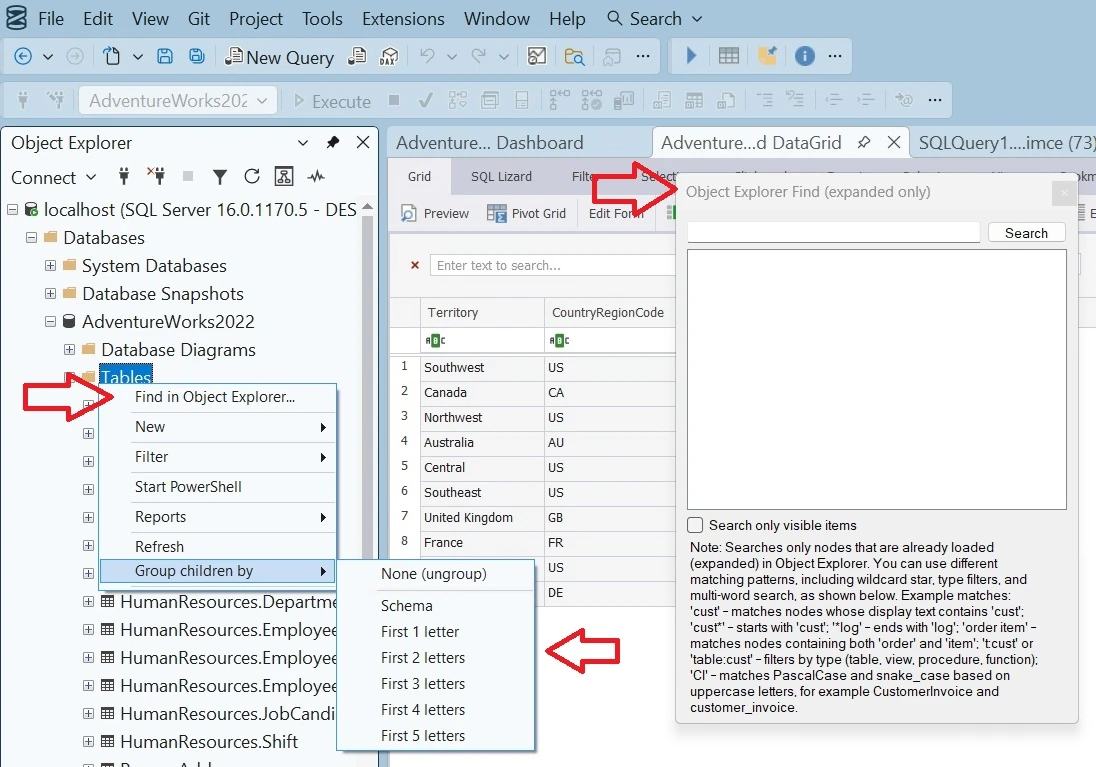
Navigate large schemas more comfortably by grouping objects in Object Explorer by schema or name and quickly finding objects by full name or part of the name.
Who is it for
Many servers and enterprise environments do not have every secondary tool installed. SSMS is already there. SQL Lizard adds more useful capabilities to the environment people already use, which reduces tool switching and keeps work closer to the data.
Free for SSMS users
SQL Lizard is useful for SQL developers, DBAs, data analysts, support engineers, and technical teams who inspect query results, prepare exports, troubleshoot data, or build quick visual analysis directly in SQL Server Management Studio.
Previous SSMS Lizard versions were used and appreciated by many SQL Server users. This release continues that idea for SSMS 22 and is free at this stage.