SSMS extension · plugin · add-in · add-on
A practical SSMS extension for SQL Server data work
SQL Lizard extends SQL Server Management Studio 22 with an advanced data grid, dashboards, charts, pivots, SQL formatting, linting, exports, query history, notes, and Object Explorer improvements.
It is technically an SSMS extension. People also search for this kind of tool as an SSMS plugin, SSMS add-in, SSMS add-on, or SQL Server plugin. The goal is the same: add useful data and SQL tools directly inside SSMS.
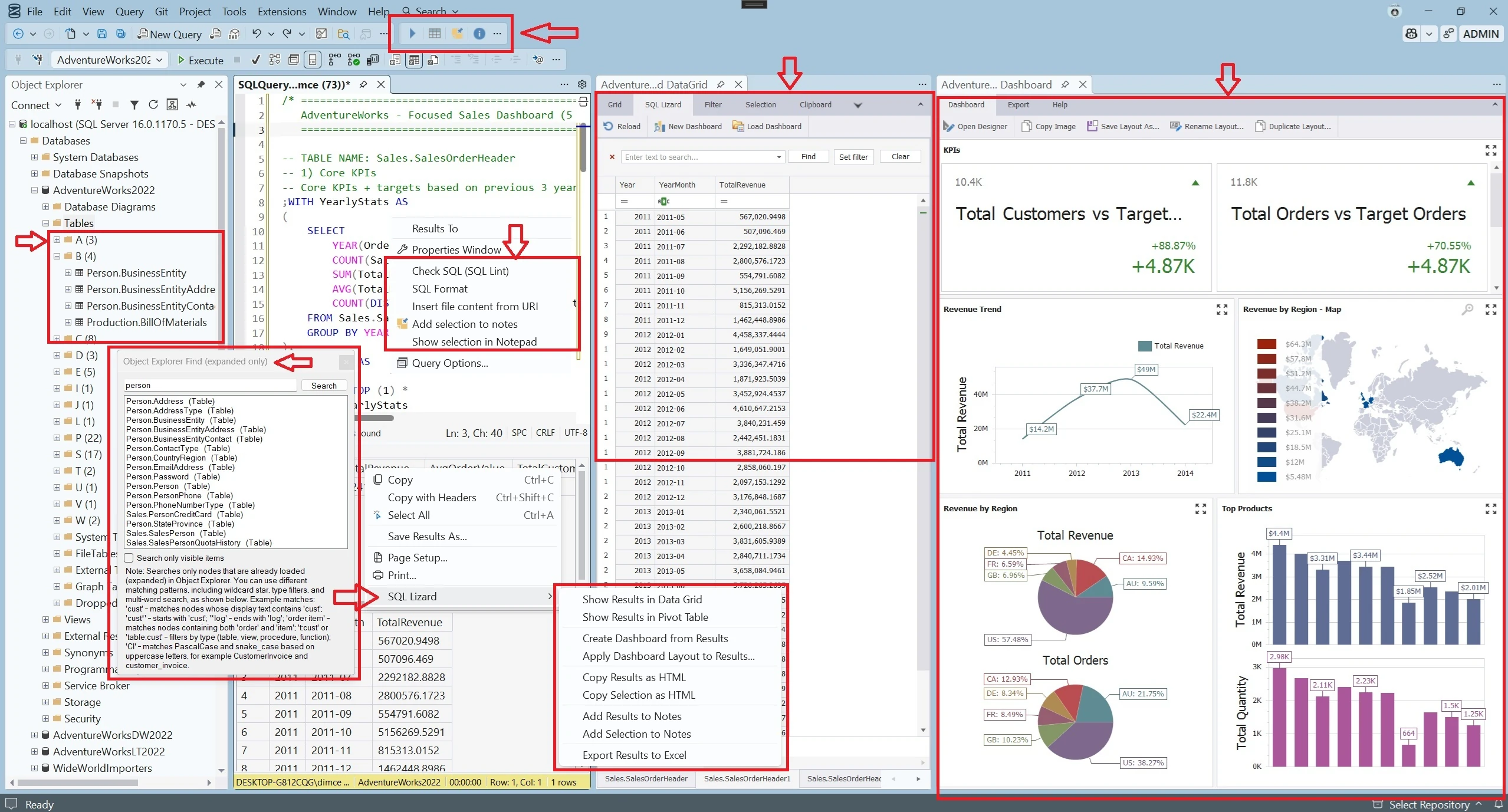
What an SSMS extension should improve
A useful SSMS extension should improve the workflow people already have. It should not force extra tool switching for common tasks such as result analysis, visualization, object discovery, SQL cleanup, or exporting.
Advanced data grid
Work with result sets more comfortably using grouping, filtering, sorting, notes, preview, and export features.
Dashboards and charts
Turn SQL results into pivots, charts, and dashboards directly inside the SSMS workflow.
Object Explorer improvements
Find objects faster and organize them more comfortably in large schemas.
SQL format and lint
Improve readability and catch common SQL mistakes before they become costly.
Exports
Export quickly to Excel, including protected Excel files, without extra manual work.
Productivity helpers
Keep notes, history, and related commands closer to the queries and results you already work with.
Built for the existing SSMS workflow
Built as an SSMS extension, not as a separate replacement
SQL Lizard is meant to behave like a natural extension of SQL Server Management Studio. It adds capabilities directly inside the interface and works with the environment SQL Server professionals already use every day.
Whether you call it an SSMS extension, plugin, add-in, or add-on, SQL Lizard addresses the same need: more capable data and SQL tools without leaving SSMS.
Who typically looks for an SSMS add-in
- • SQL Server developers who want better result handling
- • DBAs who need faster analysis and safer workflows
- • analysts who want more visual work directly in SSMS
- • teams who want more capability without replacing SSMS
Common questions
SSMS extension, plugin, add-in, or add-on?
People commonly use these terms for software that extends SSMS. SQL Lizard installs as an extension inside SQL Server Management Studio 22.
Is SQL Lizard an SSMS plugin?
Yes—plugin is a common informal term for this type of tool. SQL Lizard integrates into SSMS and adds commands and working surfaces to the existing application.
Which SSMS version is supported?
The current SQL Lizard release is built for Microsoft SQL Server Management Studio 22 on Windows.
What data tools does it add?
Advanced result grids, pivots, charts, dashboards, exports, Object Explorer search, SQL formatting, linting, notes, and query history.